
Lionmaker Consulting · Case studies / Swing
From a broad fitness concept to a focused iPhone app.
Swing by Lionmaker — product strategy, interface design, and iOS development
This is Lionmaker Consulting's own product case study. As of 10 October 2026, Swing 1.0.0 is a working, simulator-tested release candidate preparing for its first U.S. iPhone launch.
Release candidate · Launching November 15 on iPhone

- 4 weeksFoundation plan, including recovery and rest days
- 1 kettlebellMaximum per movement
- 16 / 48Movement guides / labeled frames
- 50Passing test executions, zero failures or skips
- Client
- Lionmaker's own product
- Work
- Product strategy, interface design, iOS development
- Platform
- Native iPhone app, SwiftUI / Swift 6, iOS 18 minimum target
- Status
- Simulator-tested release candidate, not yet distributed
01 · Concept
The problem
Swing began as ideas and visual exploration in two Claude Design projects. The ambition was broad: a distinctive kettlebell app with the Lionmaker character, training plans, movement demonstrations, and a rich screen collection. The risk was that the feature list would grow faster than a usable first release.
The owner chose a practical direction: simplify the product, make the core experience work, then let real users guide what comes next. That decision made the question concrete. What did an experienced kettlebell user need to follow a plan, understand the movements, and record a session?

02 · Simplification
A smaller product with a clear purpose
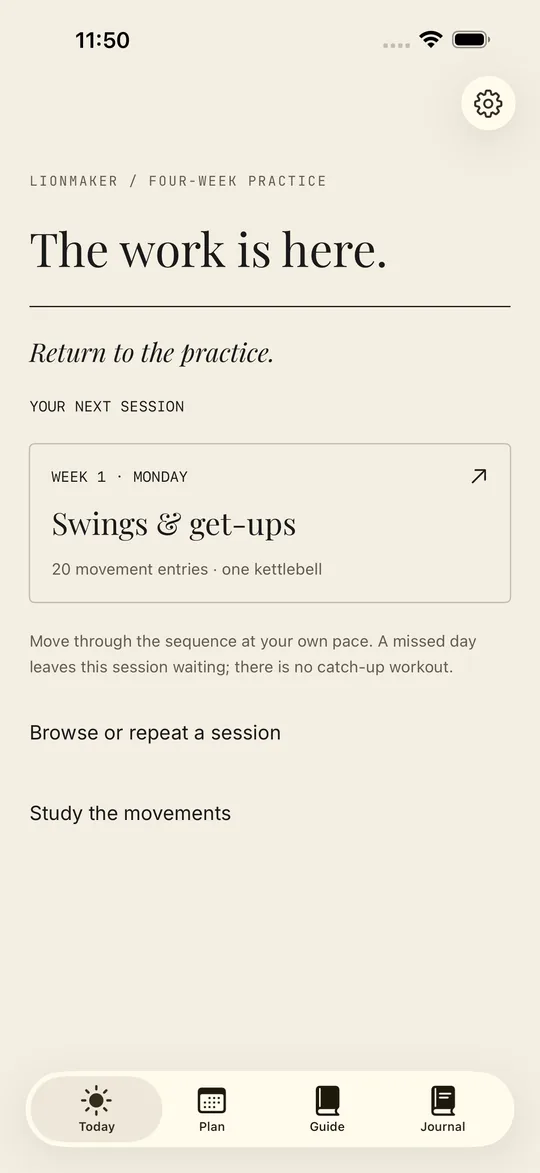
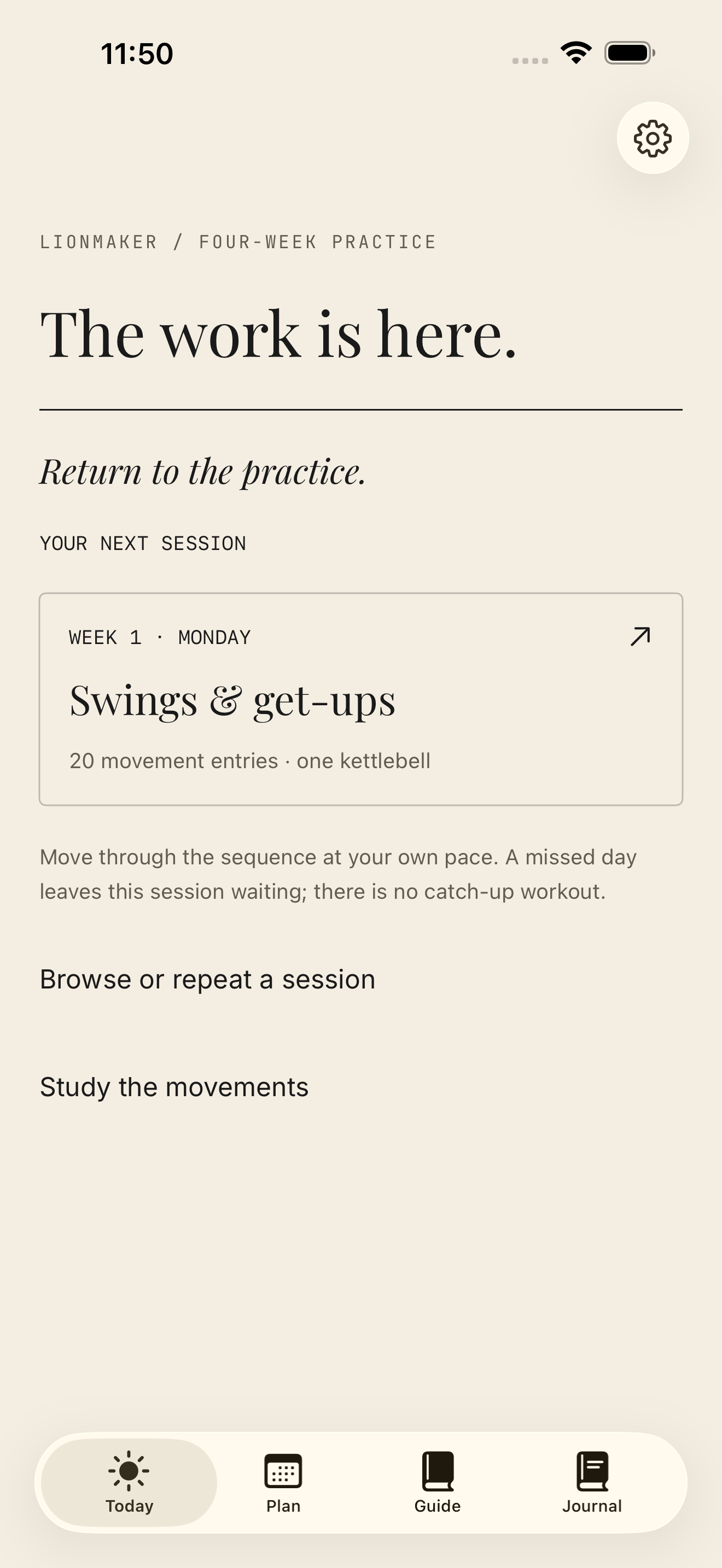
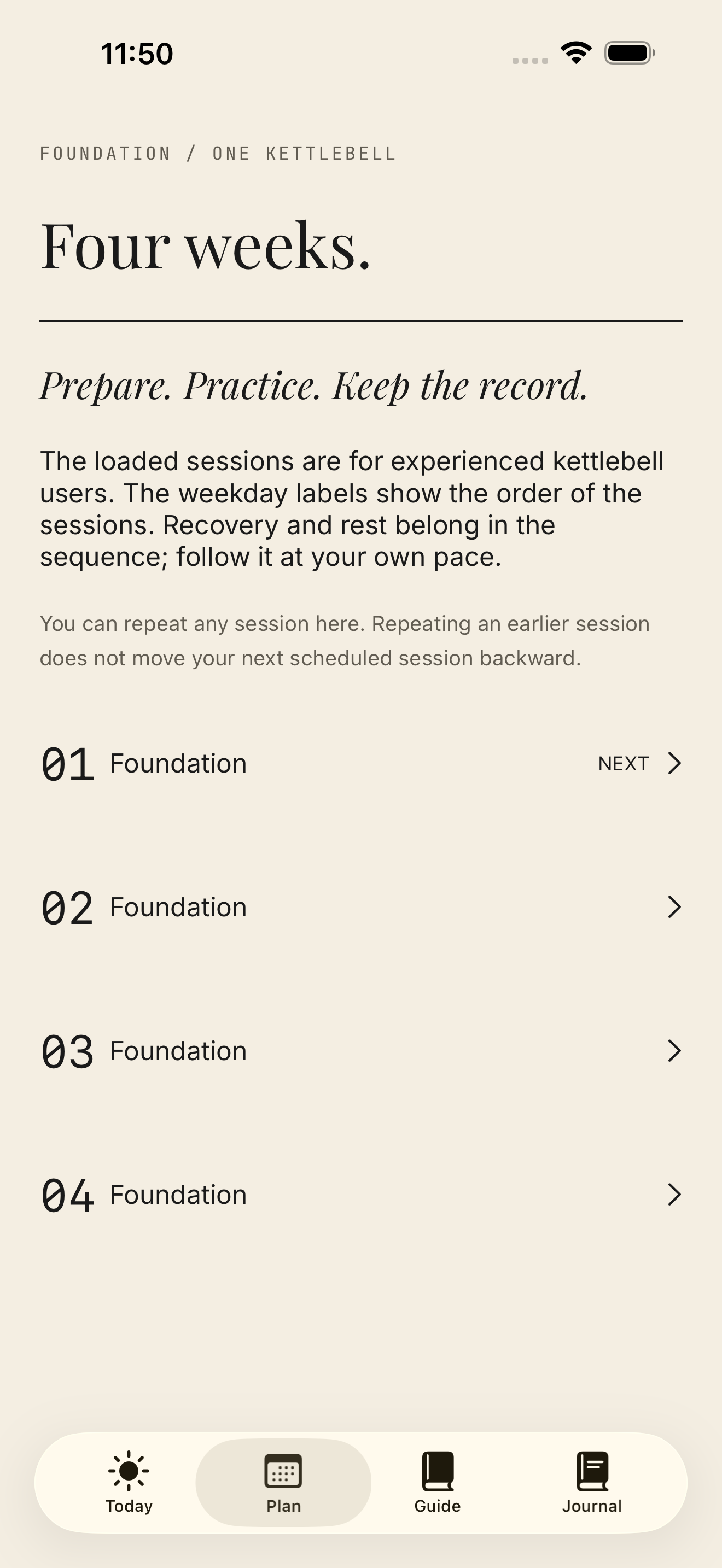
The first release became a four-week Foundation practice plan for experienced adults. Each movement uses at most one kettlebell; preparation and recovery also include unloaded work. The sequence includes recovery and rest days, and a missed session remains waiting instead of creating a catch-up obligation.
The scope centered on Today, Plan, Guide, Journal, and Settings. Animation, ranks, certificates, social features, custom workouts, subscriptions, cloud sync, and Watch integration were deferred. The Learning profile offers movement references and optional unloaded recovery rather than suggesting that an illustrated guide alone prepares a beginner for loaded training.
03 · Design
Design that belongs to the product
The owner wanted graphite on paper. Swing keeps that direction through warm paper tones, quiet typography, and the recovered Lionmaker character and kettlebell crest. The visual identity supports the training flow instead of competing with it.
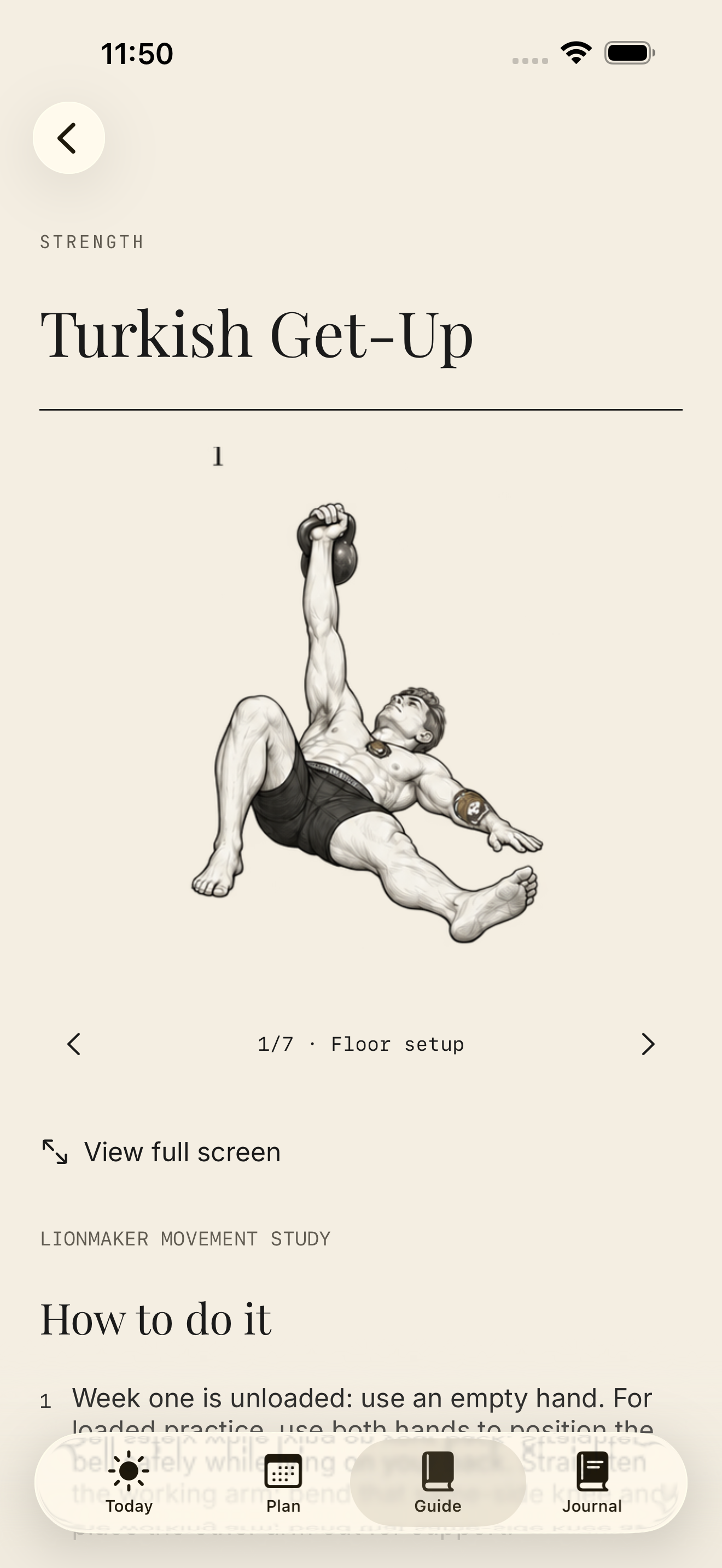
Movement illustrations needed to do more than decorate a screen. Sixteen guides now pair short numbered instructions with 48 labeled frames. Users can swipe through a movement and open a frame full screen. This made the demonstrations usable without requiring video or animation in the first release.

04 · Development
Making the core flow trustworthy
A training record must distinguish an instruction from an accomplishment. Swing records actual repetitions, load, and side; prescribed targets are not silently saved as completed work. Users can skip, undo, correct entries, and keep notes or effort ratings. Linked movements are recorded together after the bell is set down, reducing the need to handle a phone between connected movements.
The implementation also addresses the ordinary interruptions of training: work and rest timers, pause and resume, restoration after relaunch, and durable local saving. Records stay on the device, with export and deletion controls and no account requirement. These choices kept the first release focused while making its essential actions operational.
An assisted process with explicit review
- Claude DesignSupported the early exploration.
- FableProduct critique helped identify scope and usability risks.
- CodexHandled implementation and testing.
- AstraIndependently reviewed targeted timer, movement-frame, release-wording, and metadata changes. No material findings remained within those scopes; this was not a whole-product review.
- OwnerSet the product priorities and confirmed completed attorney and coach reviews.
The process used review to challenge decisions, then checked the resulting behavior. It did not treat a model's recommendation or a visual mockup as proof that the product worked.
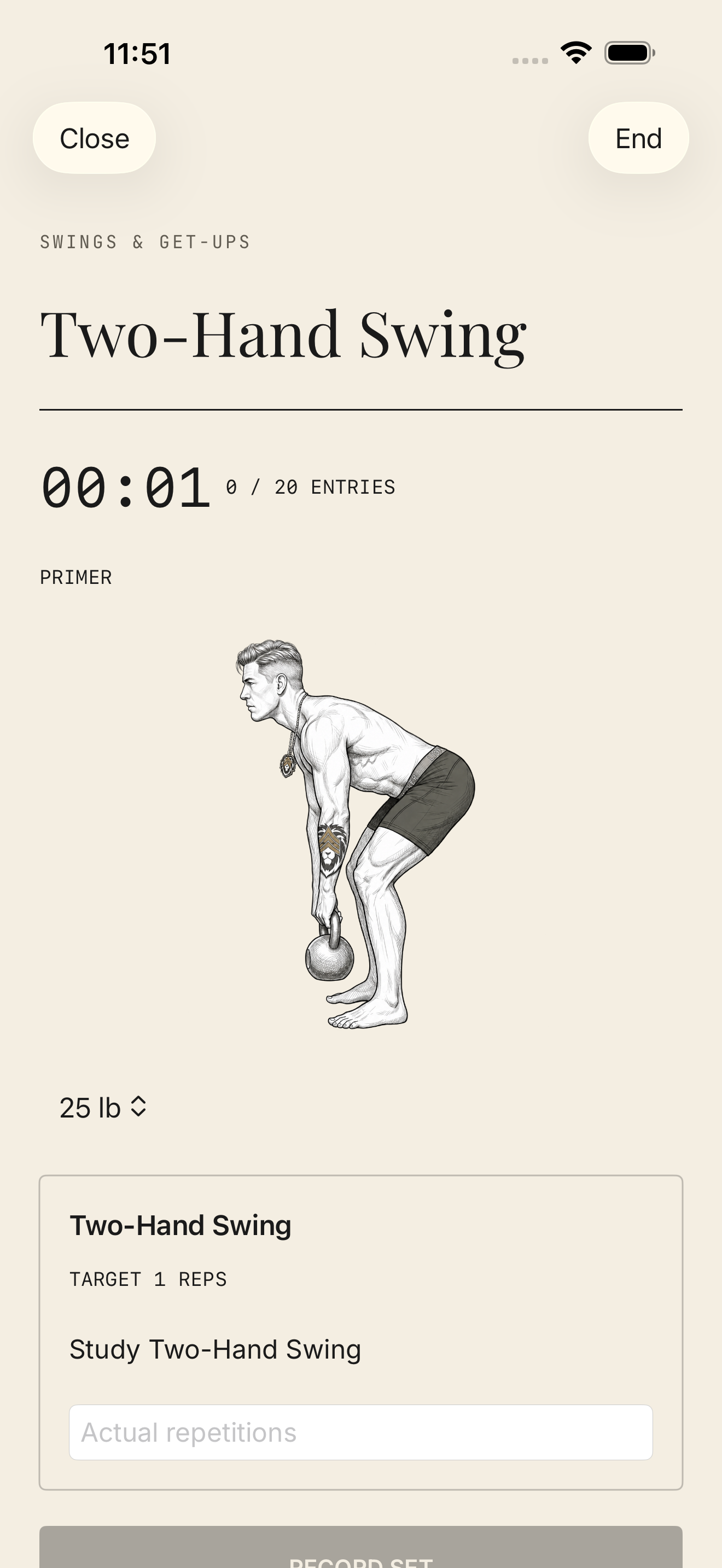
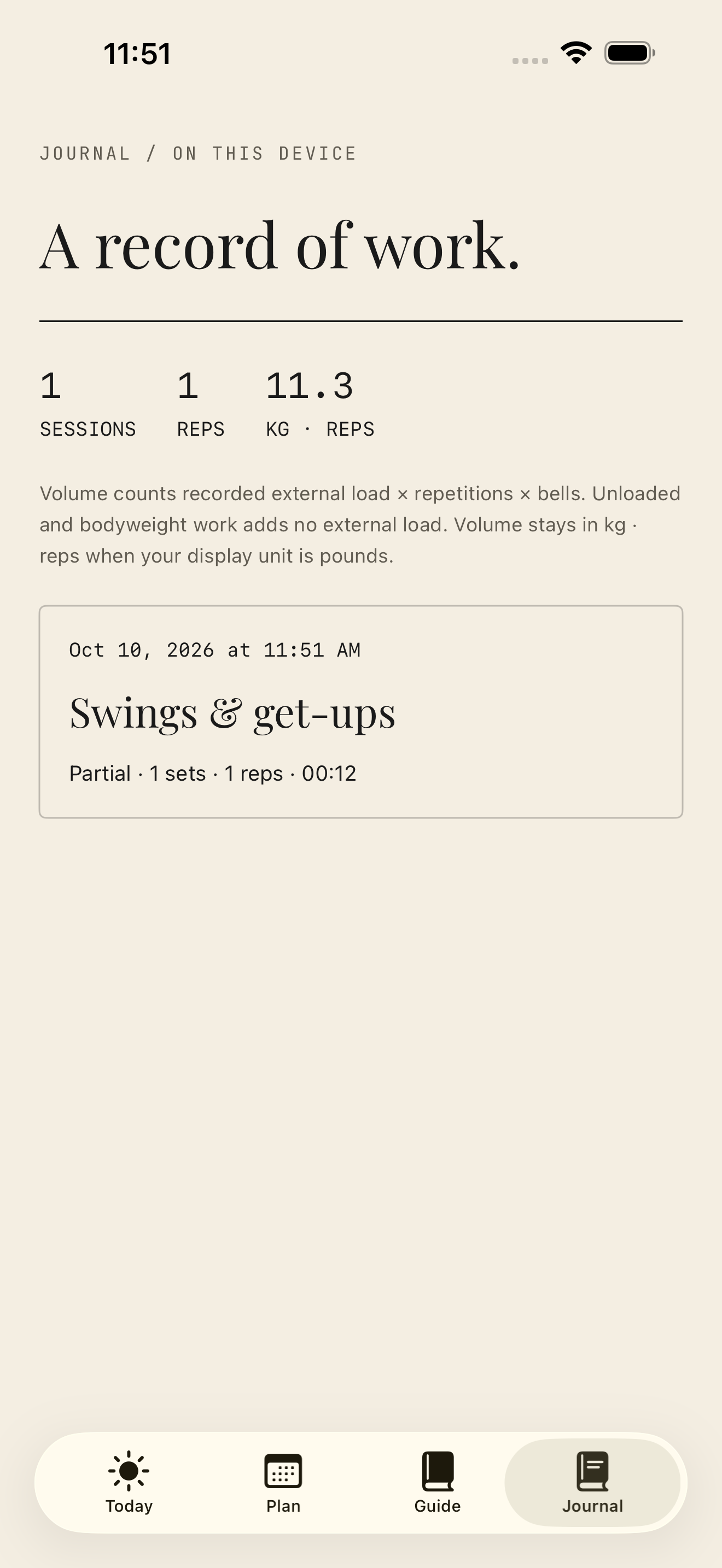
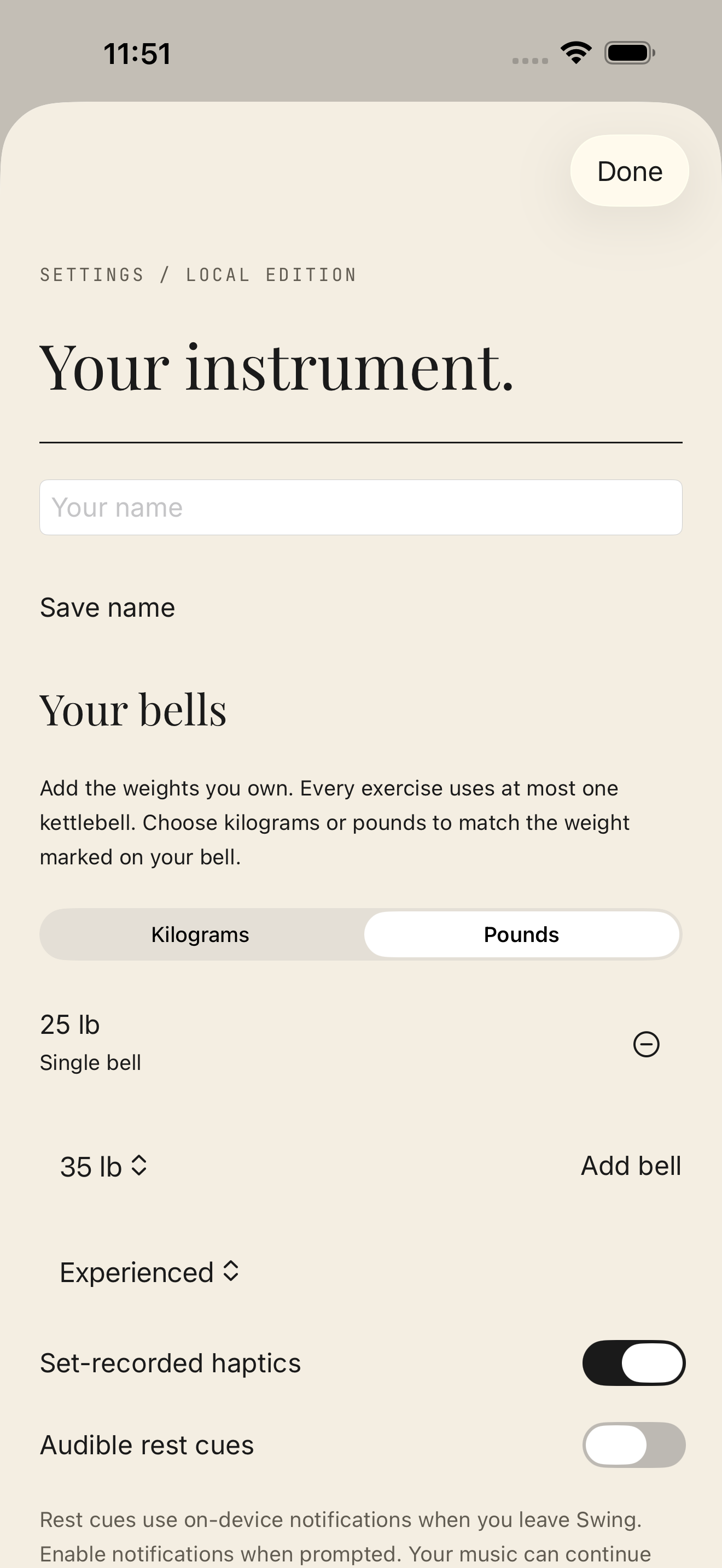
Native simulator previews; journal records are fictional inspection data.
05 · Testing
What was verified
The release candidate passed 38 unit tests and 10 UI tests, plus two targeted UI walkthroughs: 50 passing test executions with no failures or skips. The checks covered three simulated iPhone form factors on iOS 26.5, including the largest accessibility text setting on the smaller phone. Six native screen subjects were captured in two sizes for the website and store preparation. All 16 guides and 48 movement frame viewports were visually inspected.
- 38 unit + 10 UI tests on iPhone 17 Pro (simulated)
- Targeted UI walkthrough on iPhone SE (3rd generation) at the largest accessibility text setting
- Native screen walkthrough on iPhone 17 Pro Max (simulated)
- All 16 guides and 48 movement frame viewports inspected
- Unsigned device Release archive compiled
All runs used iOS 26.5 simulators. The iOS 18 minimum runtime and signed physical-device behavior have not been exercised yet.
06 · Current result
The result so far
An unsigned device Release archive compiled successfully. That is evidence of build readiness, not a signed installation or public release. Apple Developer enrollment, physical-iPhone checks, TestFlight, hosted support/policy pages, and App Store submission remain. The minimum iOS 18 runtime has not yet been exercised.
What this demonstrates
The result is a focused app that can be reviewed and tested before distribution setup begins. The work illustrates how product scope, brand design, operational user flows, and explicit verification can fit together in a first release.
Customer adoption, retention, revenue, and fitness outcomes have not been measured. After distribution and beta testing, user feedback can guide whether the next useful addition is better movement media, a broader plan, or another need that emerges from actual use.
Before distribution
- Apple Developer enrollment and signing
- Physical-iPhone checks, including the iOS 18 minimum
- TestFlight
- Hosted support and policy pages
- Price and U.S. availability
- App Store submission and review
Have an app idea that needs a clear first release?
Discuss it with Lionmaker Consulting at contact@lionmaker.io.